> ## Documentation Index
> Fetch the complete documentation index at: https://agno-v2-codex-docs-audit-20260719-0149.mintlify.site/llms.txt
> Use this file to discover all available pages before exploring further.
# What is AgentOS?
> The runtime for your agent platform.
**AgentOS is a FastAPI app that turns your agents into a platform.** The backend service:
1. Runs agents via REST API, MCP, or interfaces like Slack, WhatsApp and Telegram.
2. Stores sessions, memory, knowledge, and traces in your configured databases.
3. Preserves database-backed state across restarts and replicas when all instances use the same persistent stores.
4. Supports JWT authorization, service account tokens, and security-key authentication.
5. Supports database-backed tracing for agents, teams, and workflows.
Build your agents using the [Agno SDK](/sdk/introduction). Run them using the AgentOS runtime.
A minimal AgentOS:
```python agno_assist.py theme={null}
from agno.agent import Agent
from agno.db.sqlite import SqliteDb
from agno.models.anthropic import Claude
from agno.os import AgentOS
agent = Agent(
name="Agno Assist",
model=Claude(id="claude-sonnet-4-5"),
db=SqliteDb(db_file="agno.db"),
)
agent_os = AgentOS(agents=[agent])
app = agent_os.get_app()
```
Authorization and tracing are disabled by default. Telemetry is enabled by default. Configure authentication before exposing AgentOS, and review [Agno telemetry](/telemetry) before deployment.
## Key Features
* **Production API**: 50+ ready to use endpoints with SSE-compatible streaming.
* **Data Ownership**: Sessions, memory, knowledge, and traces stored in your configured databases.
* **Request Context**: User and session IDs scope persisted runs. JWT user isolation can bind these IDs to authenticated callers.
* **Security**: Optional JWT-based RBAC with hierarchical scopes, service account tokens, or a shared security key.
* **Observability**: Optional traces stored in your database.
* **Governance**: Guardrails, human-in-the-loop, and approval flows.
* **Multi-framework**: Serve agents built with the Claude Agent SDK, LangGraph and DSPy alongside native Agno agents. See [Multi-Framework Support](/agent-os/multi-framework/overview).
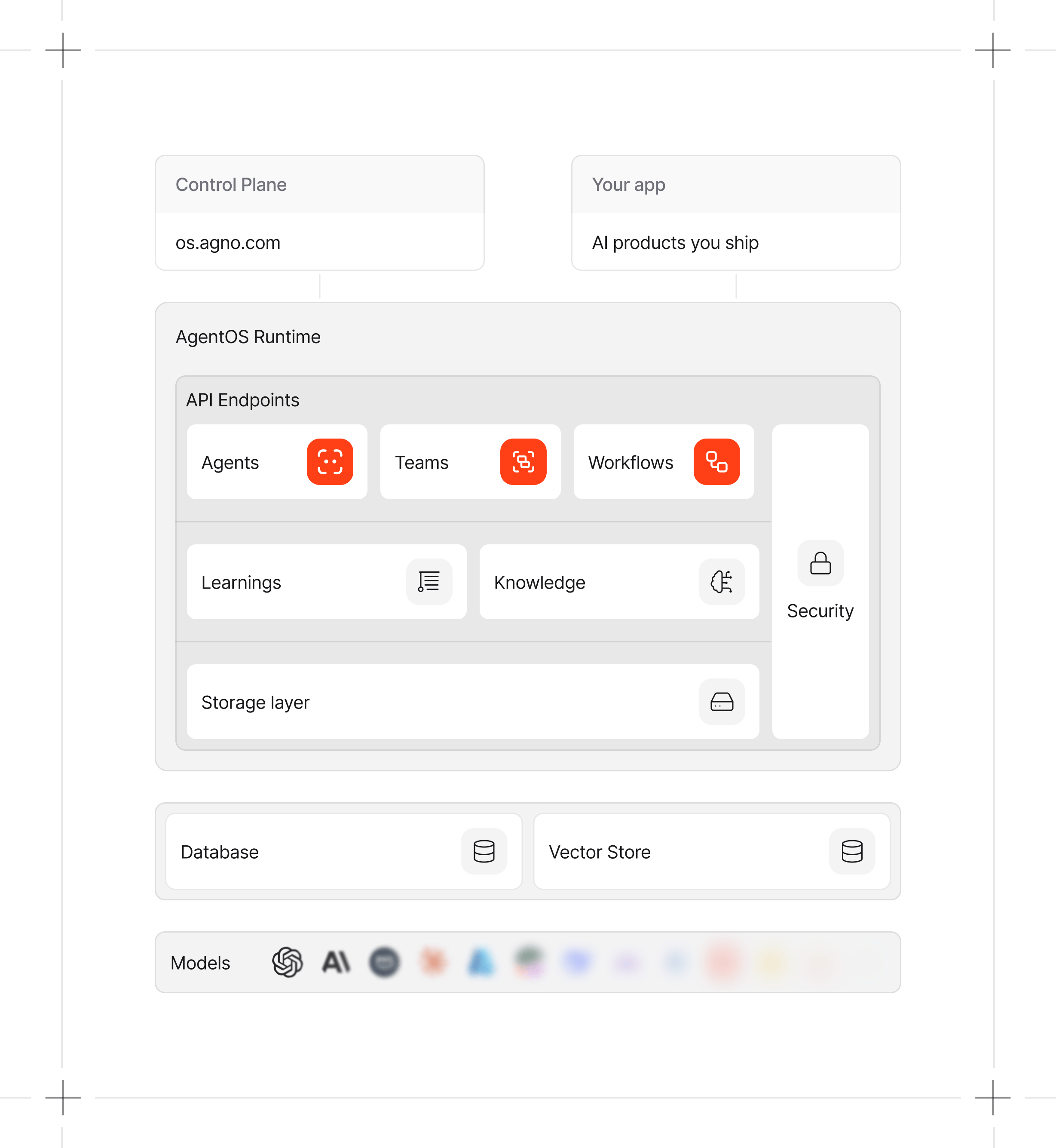
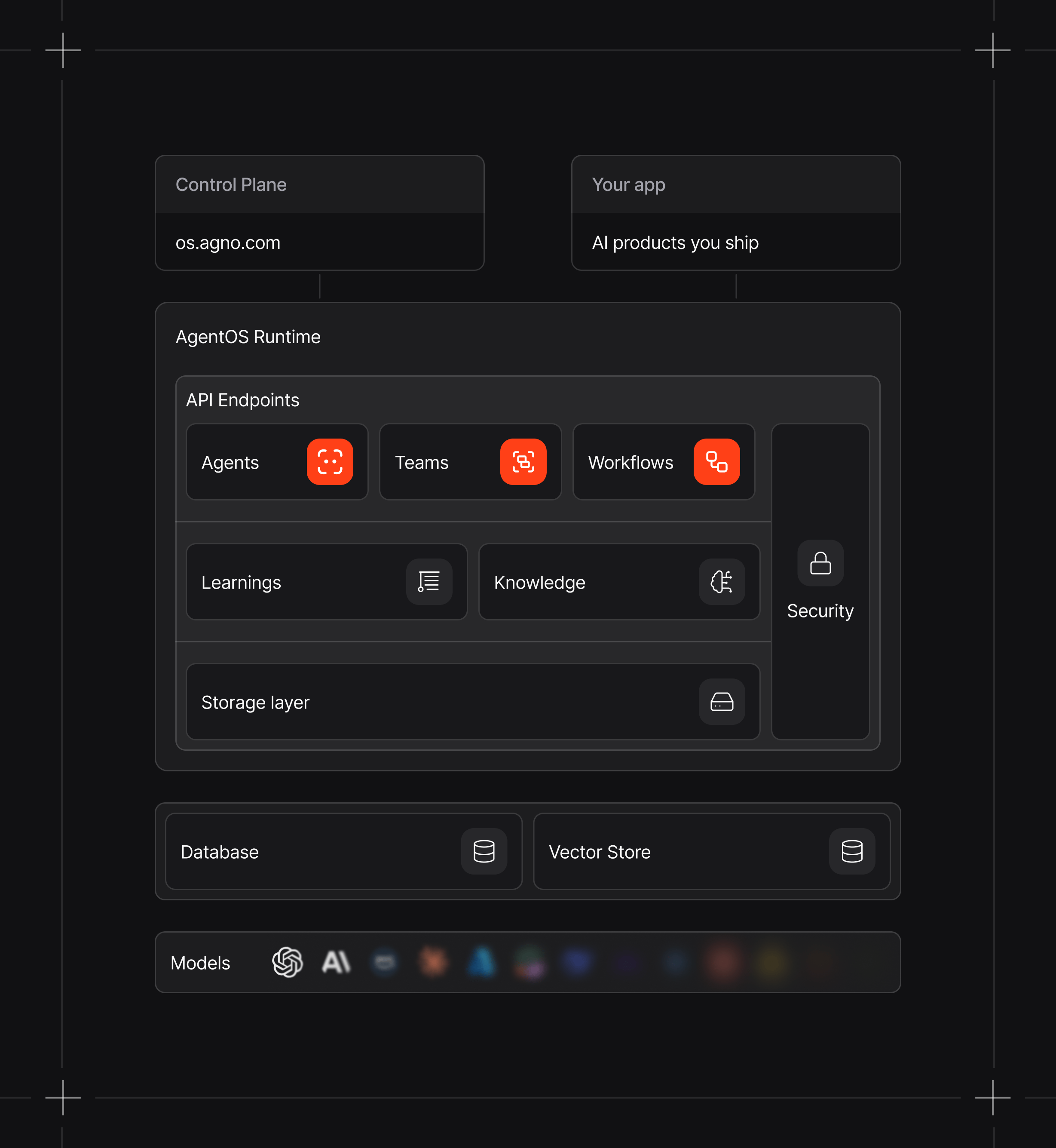
## Architecture
AgentOS has two parts:
1. **Runtime**: A FastAPI service that runs agents, teams, and workflows.
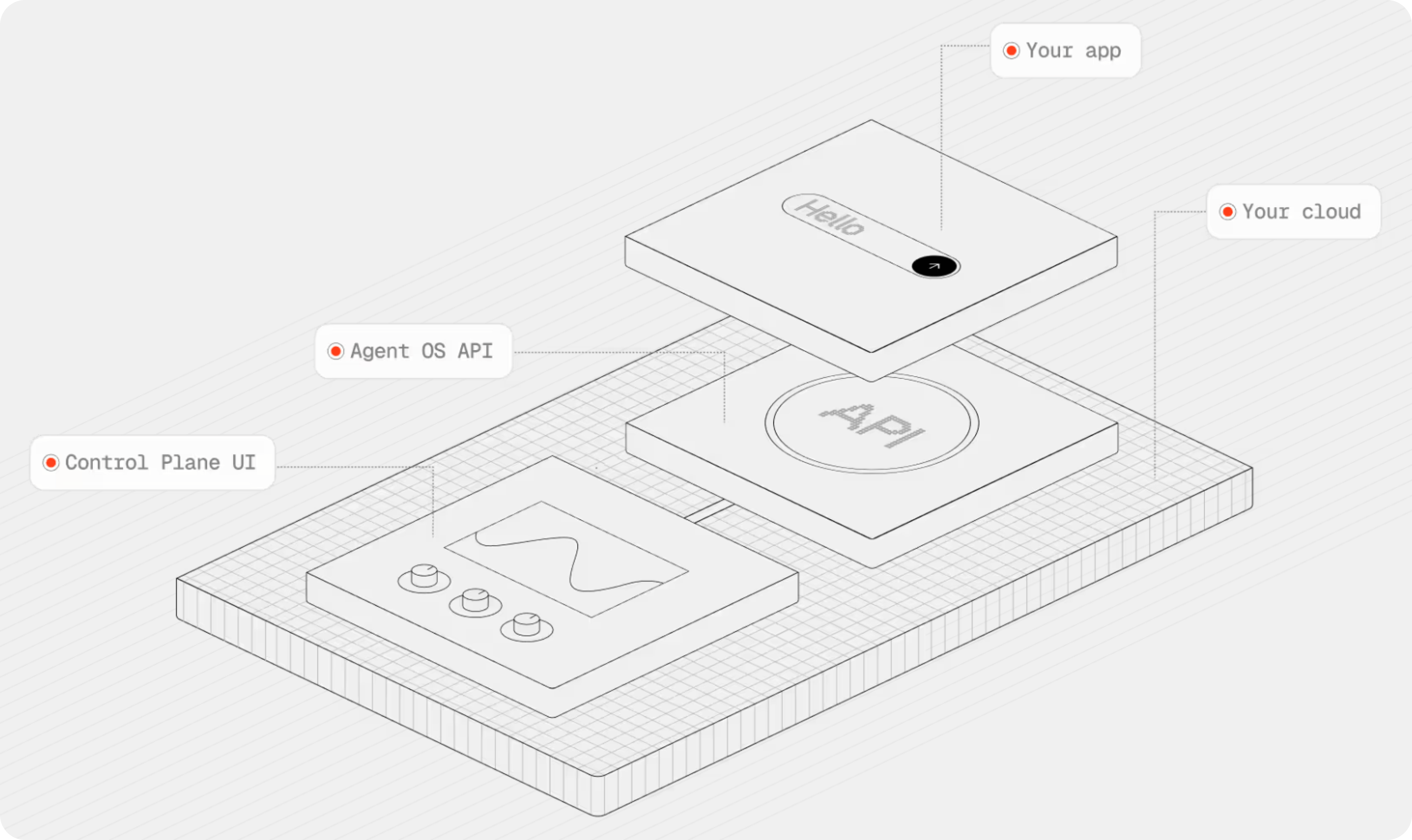
2. **Control plane**: A UI for managing, monitoring, and debugging your system.
The runtime exposes the APIs that power both the control plane and your AI products. The runtime can serve agents built with the [Agno SDK](/sdk/introduction), the [Claude Agent SDK, LangGraph, or DSPy](/agent-os/multi-framework/overview).
 ## Data Flow and Storage
The AgentOS runtime runs in your infrastructure. Sessions, memory, knowledge, and enabled traces are stored in your configured databases. The [control plane](/agent-os/control-plane) connects from your browser to the runtime.
Network traffic depends on your configuration:
| Destination | Data |
| ----------------------------------- | ----------------------------------------------------------------------------- |
| Configured model and tool providers | Requests required by those providers and tools |
| `https://os-api.agno.com` | Usage metadata when telemetry is enabled. Prompts and responses are excluded. |
| Your AgentOS runtime | Control plane requests sent directly from the browser |
AgentOS telemetry is enabled by default. Set `telemetry=False` on `AgentOS` to disable its launch event. Agents, teams, workflows, and evals have separate telemetry controls. See [Agno telemetry](/telemetry) for payload details and [AgentOS Security](/agent-os/security/overview) for authentication options.
## Data Flow and Storage
The AgentOS runtime runs in your infrastructure. Sessions, memory, knowledge, and enabled traces are stored in your configured databases. The [control plane](/agent-os/control-plane) connects from your browser to the runtime.
Network traffic depends on your configuration:
| Destination | Data |
| ----------------------------------- | ----------------------------------------------------------------------------- |
| Configured model and tool providers | Requests required by those providers and tools |
| `https://os-api.agno.com` | Usage metadata when telemetry is enabled. Prompts and responses are excluded. |
| Your AgentOS runtime | Control plane requests sent directly from the browser |
AgentOS telemetry is enabled by default. Set `telemetry=False` on `AgentOS` to disable its launch event. Agents, teams, workflows, and evals have separate telemetry controls. See [Agno telemetry](/telemetry) for payload details and [AgentOS Security](/agent-os/security/overview) for authentication options.
 ## Next Steps
Initialize and serve a basic agent.
Manage AgentOS using a Web UI.
Inspect sessions and debug traces.
Parameter reference and configuration options for the AgentOS class.
## Next Steps
Initialize and serve a basic agent.
Manage AgentOS using a Web UI.
Inspect sessions and debug traces.
Parameter reference and configuration options for the AgentOS class.