

- Runs agents via REST API, MCP, or interfaces like Slack, WhatsApp and Telegram.
- Stores sessions, memory, knowledge, and traces in your configured databases.
- Preserves database-backed state across restarts and replicas when all instances use the same persistent stores.
- Supports JWT authorization, service account tokens, and security-key authentication.
- Supports database-backed tracing for agents, teams, and workflows.
agno_assist.py
Key Features
- Production API: 50+ ready to use endpoints with SSE-compatible streaming.
- Data Ownership: Sessions, memory, knowledge, and traces stored in your configured databases.
- Request Context: User and session IDs scope persisted runs. JWT user isolation can bind these IDs to authenticated callers.
- Security: Optional JWT-based RBAC with hierarchical scopes, service account tokens, or a shared security key.
- Observability: Optional traces stored in your database.
- Governance: Guardrails, human-in-the-loop, and approval flows.
- Multi-framework: Serve agents built with the Claude Agent SDK, LangGraph and DSPy alongside native Agno agents. See Multi-Framework Support.
Architecture
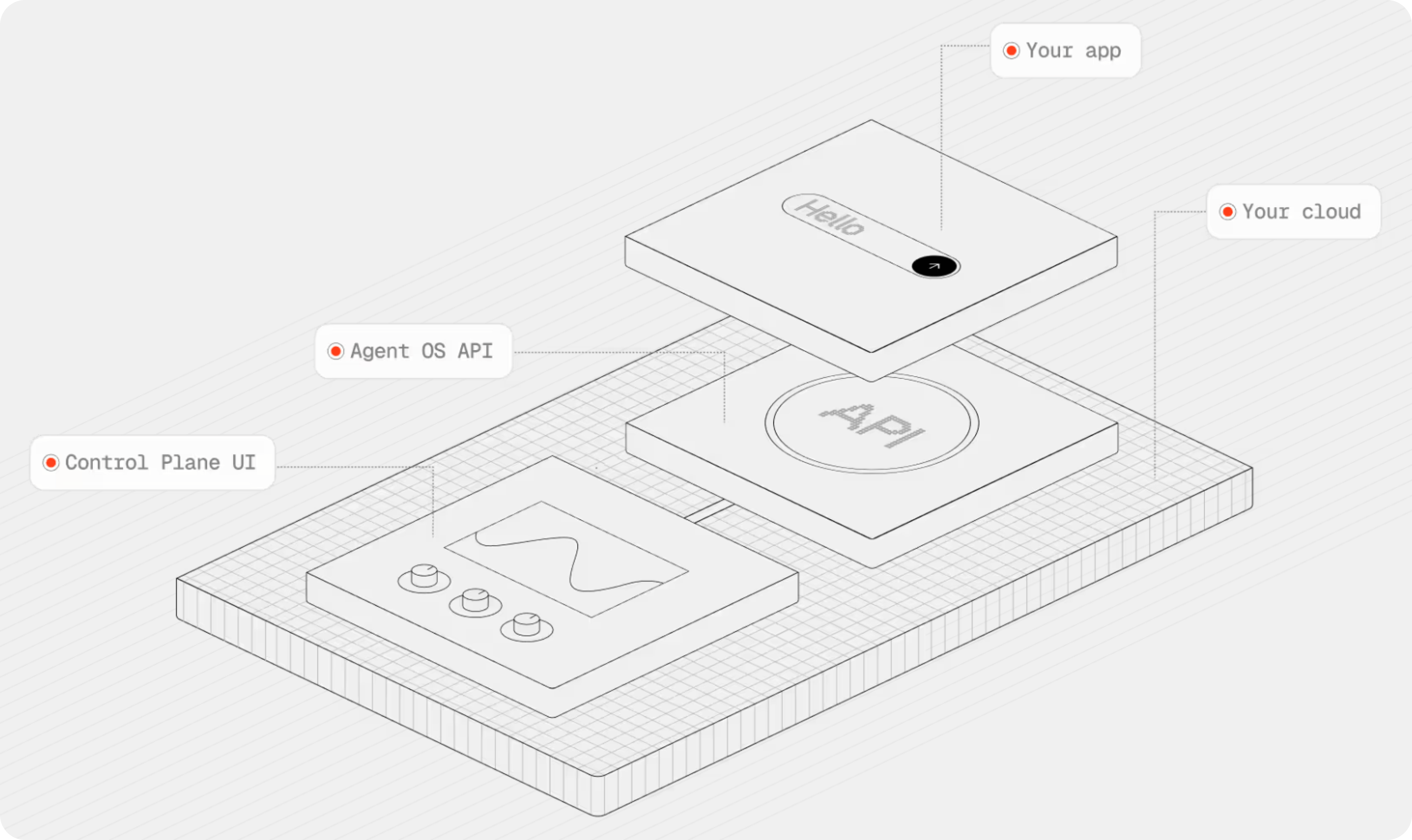
AgentOS has two parts:- Runtime: A FastAPI service that runs agents, teams, and workflows.
- Control plane: A UI for managing, monitoring, and debugging your system.
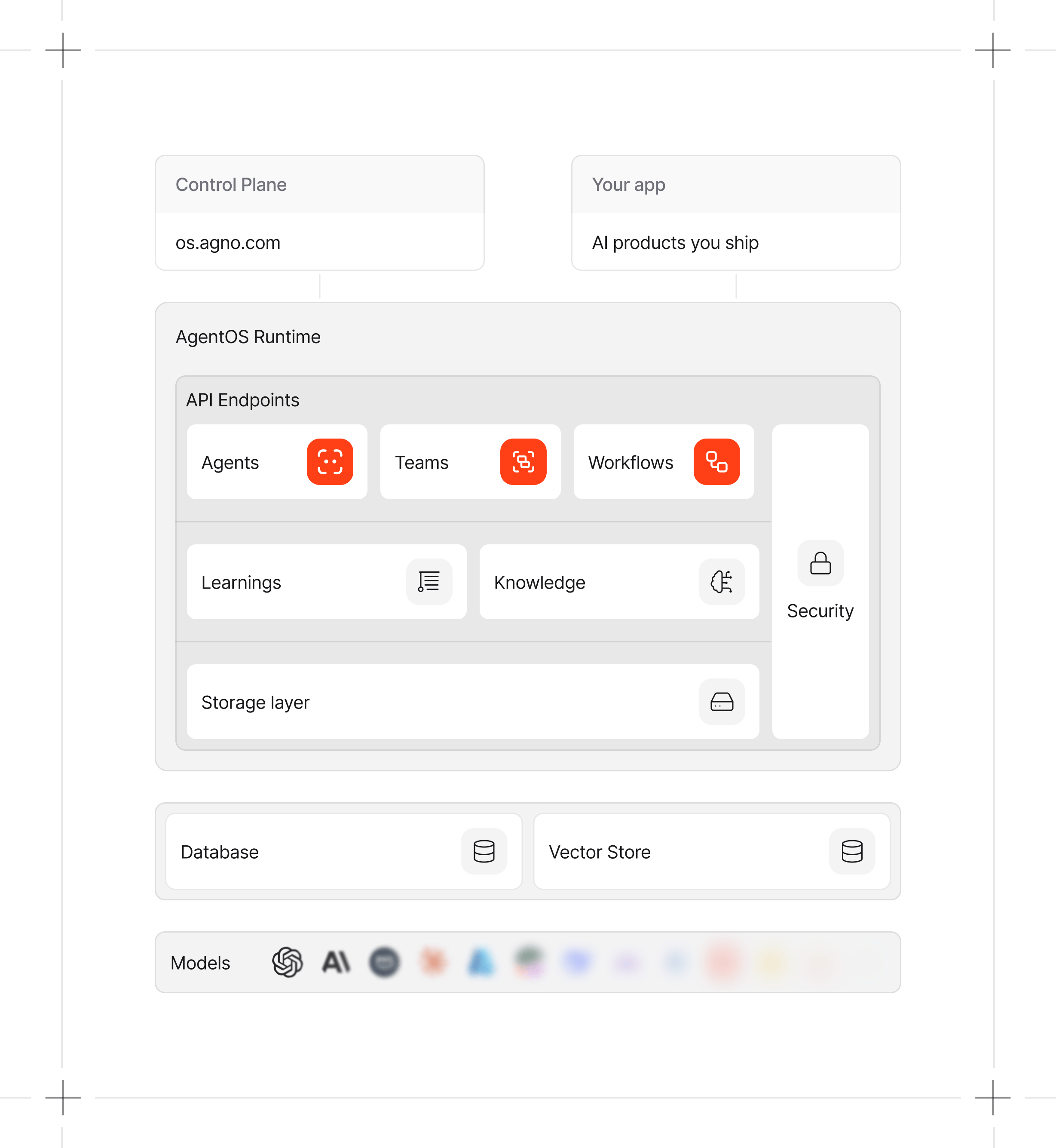
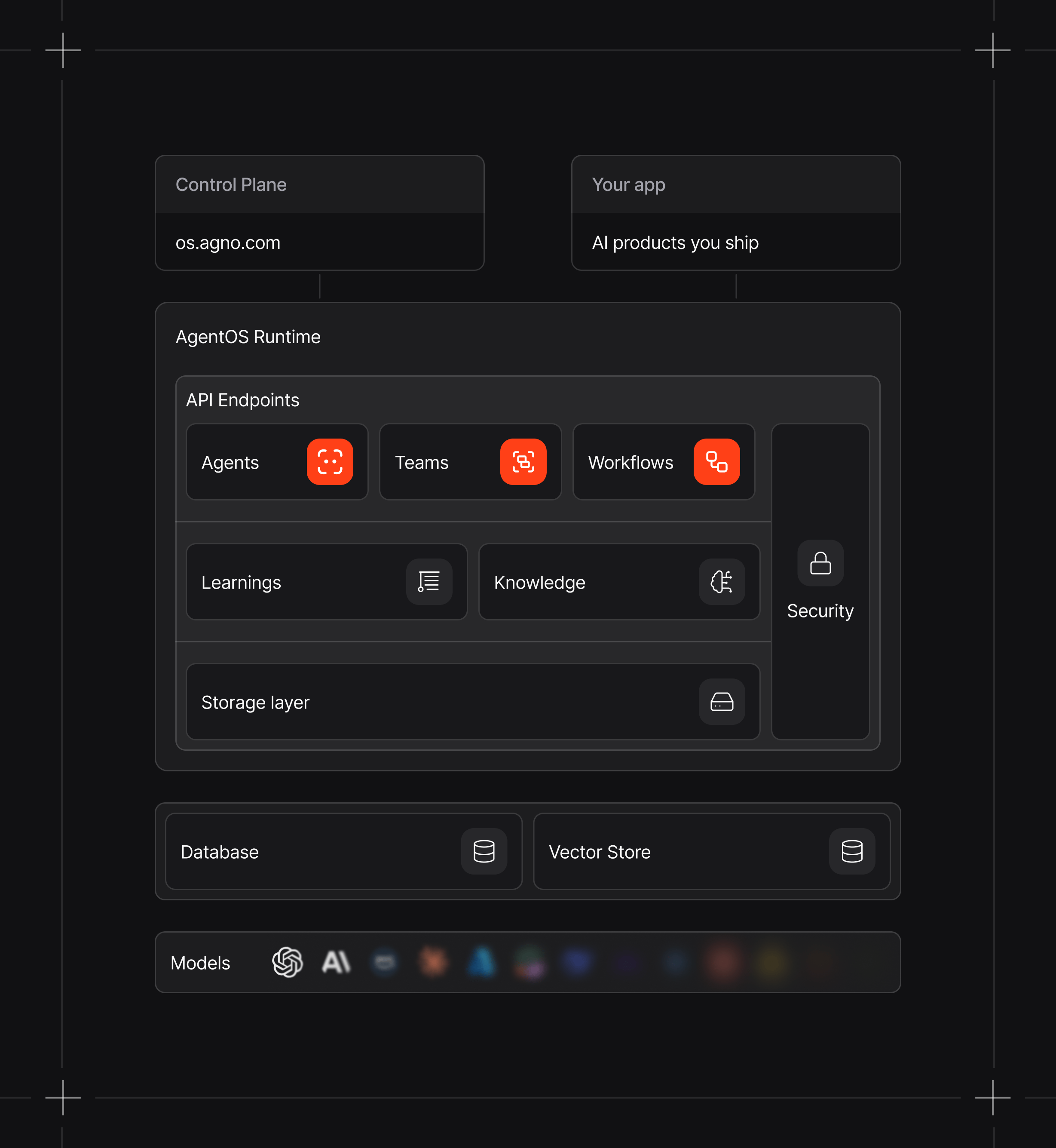
Data Flow and Storage
The AgentOS runtime runs in your infrastructure. Sessions, memory, knowledge, and enabled traces are stored in your configured databases. The control plane connects from your browser to the runtime. Network traffic depends on your configuration:
AgentOS telemetry is enabled by default. Set
telemetry=False on AgentOS to disable its launch event. Agents, teams, workflows, and evals have separate telemetry controls. See Agno telemetry for payload details and AgentOS Security for authentication options.
Next Steps
Run Your First AgentOS
Initialize and serve a basic agent.
Connect AgentOS to UI
Manage AgentOS using a Web UI.
Control Plane
Inspect sessions and debug traces.
Learn More
Parameter reference and configuration options for the AgentOS class.