

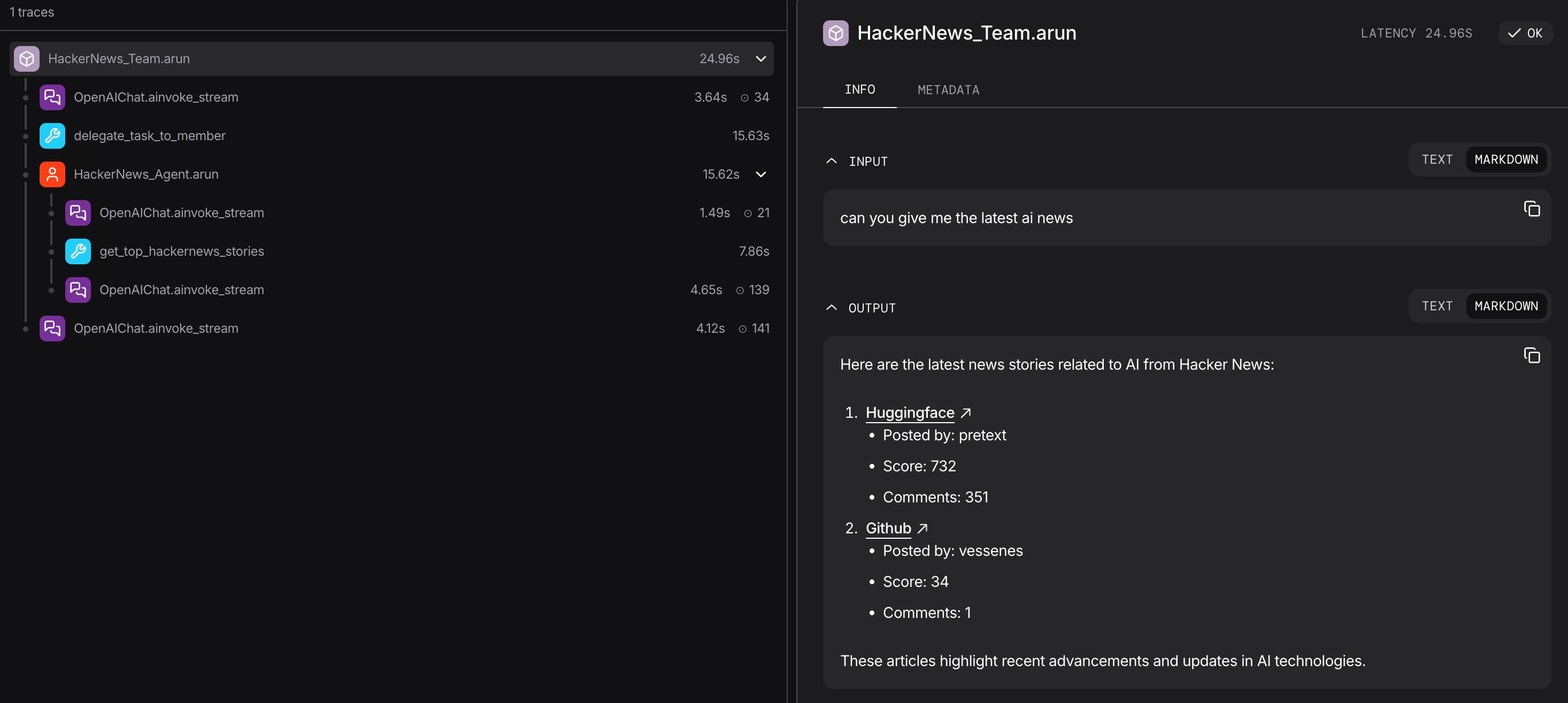
Traces stored in SQLite database viewed with AgentOS
Why is Observability Important?
As your Agno system becomes more complex (Agents using multiple tools, making sequential decisions, and coordinating with other agents), understanding its behavior becomes challenging. Agno Tracing solves this:- Debugging: See exactly what went wrong when an agent fails
- Performance: Identify bottlenecks in agent execution
- Cost Tracking: Monitor token usage and API calls
- Behavior Analysis: Understand decision-making patterns
- Audit Trail: Track what agents did and why
With the default database-backed setup and no external exporter, Agno stores tracing data in your own database. Configuring an external OpenTelemetry provider or exporter sends trace data to that provider.
Understanding Traces and Spans
Traces and spans form a parent-child hierarchy that mirrors your agent’s execution:Trace
A trace represents one complete agent execution from start to finish. Each trace has a uniquetrace_id that groups all related operations together.
Span
A span is a single operation within that execution. Spans form a parent-child hierarchy: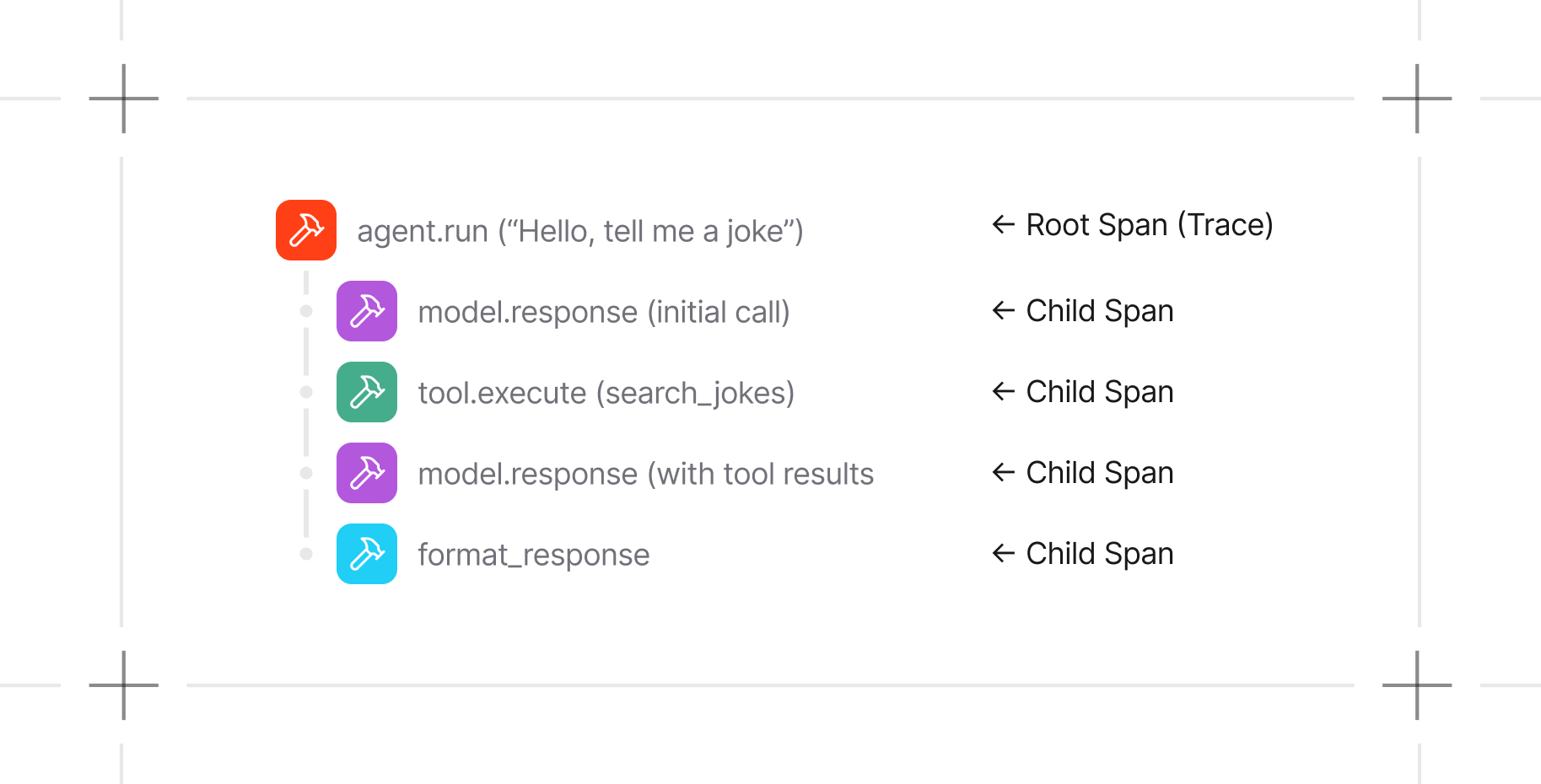
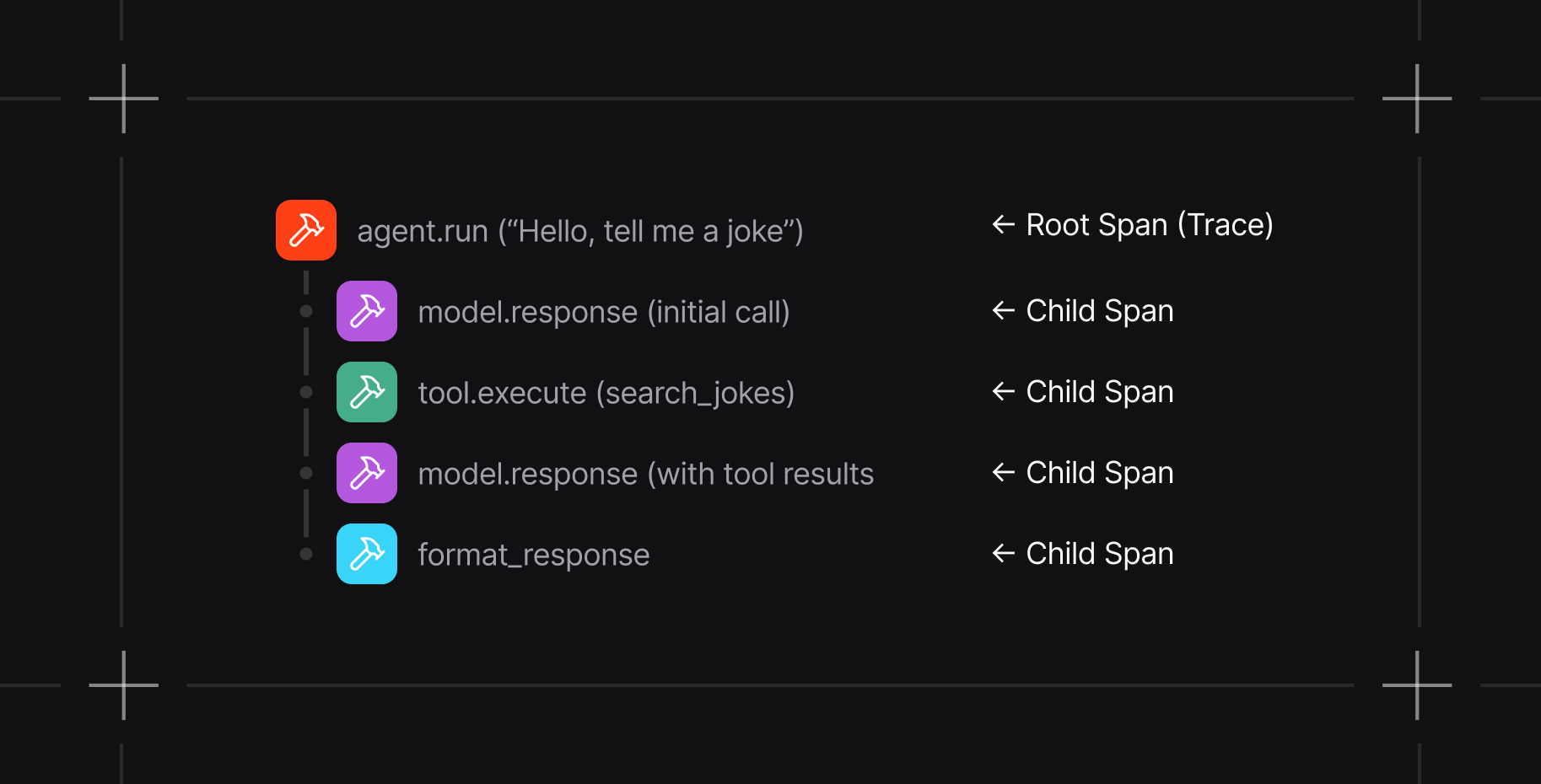
- What happened: Operation name (e.g.,
agent.run,model.response) - When: Start and end timestamps
- Context: Input arguments, outputs, token usage
- Relationships: Parent span, child spans
- Metadata: Agent ID, session ID, run ID
What Gets Traced
Agno automatically captures:Key Features
- Zero-Code Instrumentation: No need to modify your agent code
- Database Storage: Traces stored in your Agno database (SQLite, PostgreSQL, etc.)
- Flexible Querying: Filter by agent, session, run, or time range
- OpenTelemetry Standard: Export to external tools like Arize Phoenix, Langfuse, and The Context Company
- Low Overhead: Set
batch_processing=Trueto batch and export traces in the background - Configurable: Adjust batch sizes and processing for your needs
Quick Start
1
Install Dependencies
2
Enable Tracing
3
Run Your Agent
4
Query Traces
Guides
Basic Setup
Configure and enable tracing
Tracing in AgentOS
Trace your agents, teams, and workflows in AgentOS
DB Functions
Query traces and spans from your database